Digital Self-Defense: Moving Beyond the "Incognito" Illusion
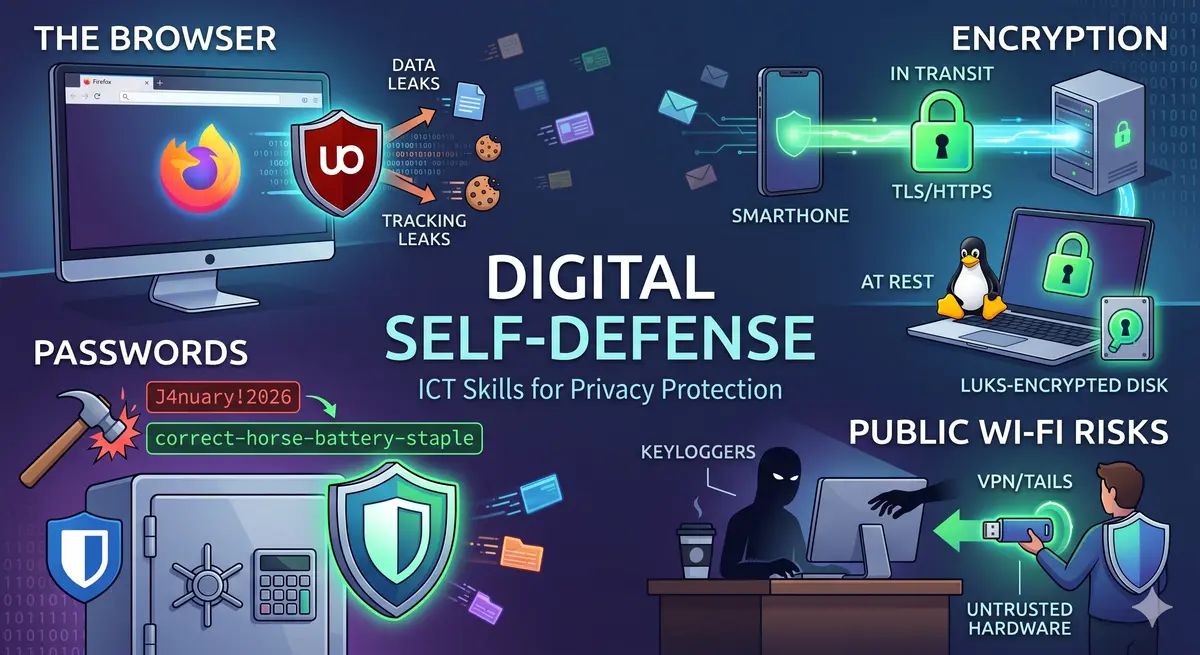
Many users believe that clicking "New Incognito Window" is like putting on an invisibility cloak. It’s not. If you’re a developer or a power user, your digital footprint is your biggest liability.
Let's break down how to actually secure your perimeter, from the browser to the bare metal.
1. The Browser: It’s Leaking More Than You Think
When you open a private tab, your ISP, your employer, and the websites you visit can still see you.
- The Myth: "Private mode hides my IP." (False)
- The Reality: It only wipes your local history. To the outside world, you are still broadcasting your "Fingerprint" (screen resolution, OS version, installed fonts).
Pro Tip: Use extensions like uBlock Origin (in hard mode) or switch to a privacy-centric browser like LibreWolf or Mullvad Browser to neutralize tracking scripts before they even load.
2. Password Hygiene: Entropy over Complexity
Stop trying to remember P@ssw0rd123!. It’s easy for a machine to brute-force and hard for a human to remember.
Why Passphrases Win
Instead of complex strings, use long passphrases.
- Weak:
J4nuary!2026(Predictable) - Strong:
correct-horse-battery-staple(High entropy, hard to crack)
The Rule of One: Use a Password Manager (Bitwarden, KeepassXC). Every single account you own must have a unique, randomly generated password. If one site leaks, your entire digital life shouldn't follow.
3. Encryption: Your Last Line of Defense
Encryption shouldn't be an afterthought; it should be the default state of your data.
In Transit: HTTPS & TLS
The "Padlock" in your URL bar means the data between you and the server is encrypted. Without it, anyone on your Wi-Fi can see your passwords in plain text using tools like Wireshark.
At Rest: LUKS & GnuPG
If you are on Linux, you should be using LUKS (Linux Unified Key Setup) to encrypt your partitions.
- Scenario: Someone steals your laptop.
- Without LUKS: They boot a Live USB and read all your files.
- With LUKS: Your data is an unreadable mess of bytes without your passphrase.
For files and emails, GnuPG remains the gold standard. A simple command can protect a sensitive file:
Bash
gpg -c sensitive_data.txt
4. The "Coffee Shop" Trap: Public Hardware
Using a public computer is like using a toothbrush you found on the street. Even with "Incognito mode," a hardware keylogger or a compromised OS can capture every keystroke.
- Rule 1: Never log into banking or primary email on public machines.
- Rule 2: If you must work remotely, use a Trusted Execution Environment or a Live USB (like Tails) to ensure no traces remain on the hardware.
Conclusion: Privacy is a Process
Security is not a product you buy, but a habit you build. By mastering browser footprints, password entropy, and full-disk encryption, you move from being a target to being a fortress.
What’s the first tool you install on a fresh OS to stay secure?